The Salesforce Implementation Checklist Every Team Should Use
Why Most Implementations Fail Before They Start
The technical side of a Salesforce implementation is rarely what causes a project to go sideways. Configuration errors can be fixed. Data mapping mistakes can be corrected. What is much harder to recover from is a vague scope, a missing executive sponsor, or a training plan that was never built.
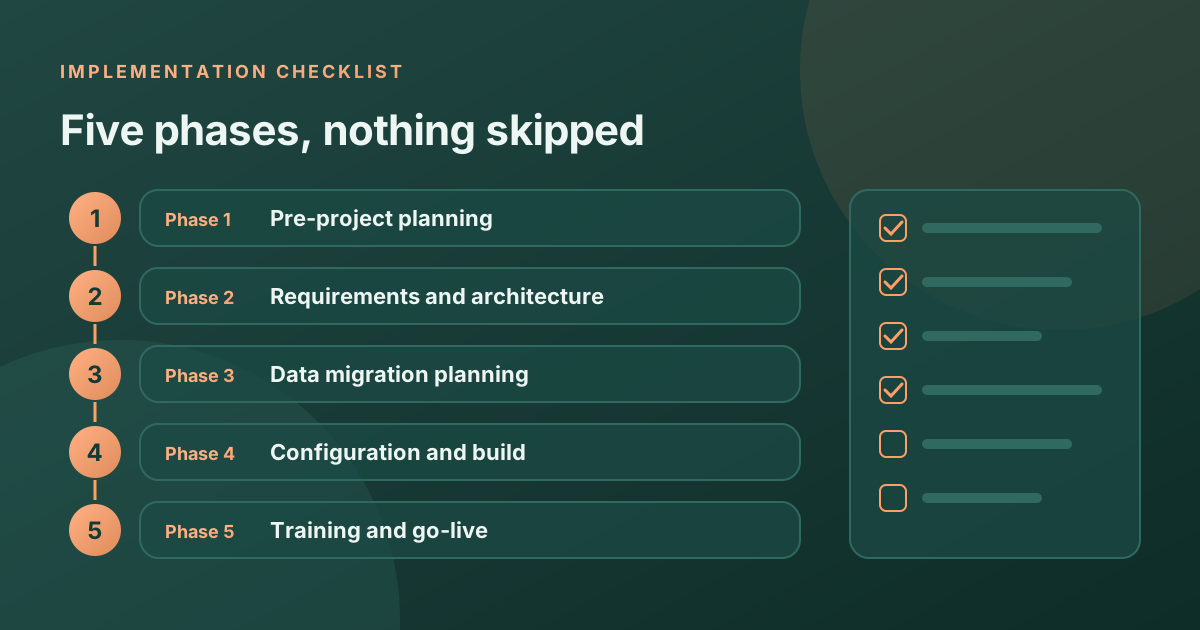
This checklist is organized by phase. Work through it in order before and during your project, and you will avoid the majority of the mistakes we see in rescue engagements.
Phase 1: Pre-Project Planning
Before anyone opens a Salesforce org, these items need to be resolved:
- Define the business case: What specific outcomes is this implementation supposed to produce? Write them down with a number attached. "Better visibility" is not a business case. "Reduce lead response time from 6 hours to 45 minutes" is.
- Identify an executive sponsor: Someone with authority to make decisions and resolve cross-department conflicts. Without one, every disagreement becomes a two-week delay.
- Map your current process: Walk the actual sales workflow from lead to closed deal. Not the version in a slide deck. The one that actually happens, including the workarounds and the exceptions.
- List every system that touches sales data: ERP, marketing automation, billing platform, support desk. Know what needs to connect to Salesforce before architecture decisions are made.
- Choose the right edition: Sales Cloud Starter, Pro Suite, Enterprise, and Unlimited are not interchangeable. Make sure the edition you select has the features your process requires.
- Decide on a consulting partner: If you are doing this internally, confirm you have a certified administrator and a developer on the team. If not, shortlist partners before the project begins, not after.
Phase 2: Requirements and Architecture
This is where the actual design work happens. Many teams skip this phase and go straight to configuration. That almost always creates rework.
- Document all required custom objects: List any data entities your business tracks that do not fit into Accounts, Contacts, Leads, or Opportunities.
- Define your pipeline stages: How many stages does a deal go through? What qualifies a deal to advance? What are the exit criteria for each stage?
- Map your security model: Who can see what? Does everyone see all accounts, or do reps only see their own? Do managers need visibility into their team's accounts without ownership?
- List automation requirements: Write out every "when X happens, Y should happen automatically" scenario. These become your Flow requirements.
- Plan your integration architecture: For each connected system, determine whether you need real-time sync, batch sync, or one-directional data push.
Phase 3: Data Migration Planning
Data migration is the phase that most teams underestimate. Give it real time and attention.
- Audit your existing data: Before you migrate anything, understand what you have. Count duplicates. Identify incomplete records. Find fields with inconsistent formatting.
- Decide what to migrate: Not everything needs to come over. Closed deals older than 3 years, inactive contacts, leads from campaigns you no longer run. Make deliberate decisions about scope.
- Build field mapping documentation: Every field in the source system needs a destination. Document this in a spreadsheet before you run a single data load.
- Plan your sandbox testing strategy: Never load data directly into production. Run all test migrations in a Full Sandbox first and have business users validate the output.
- Set a migration cutover date: Pick a low-activity window (typically a Friday evening or Sunday) to minimize the impact of any data freeze period.
Phase 4: Configuration and Build
- Build in sandbox first: Every configuration change should be built and tested in a sandbox before it touches production.
- Use Change Sets or a deployment tool: Do not manually recreate configurations in production. Use metadata deployment to reduce human error.
- Test every automation: Run each Flow with real data scenarios, including edge cases and the scenarios where something might break.
- Build user profiles and permission sets: Create profiles before you create users. Test each profile by logging in as a test user with that profile assigned.
- Configure reports and dashboards: The exec sponsor and sales manager need dashboards ready on day one. Do not leave this until after go-live.
Phase 5: Training and Go-Live
- Train by role, not all at once: Admins need different training than sales reps. Sales reps need different training than managers. One session for everyone means nobody gets what they need.
- Record training sessions: New hires will need them. Record every session and store the videos somewhere accessible.
- Create a quick reference guide: Two pages maximum, showing the five most common daily tasks each role will perform in Salesforce.
- Plan a hypercare period: Assign someone to answer questions for the first two weeks post-launch. This is the window where adoption either takes hold or falls apart.
- Monitor adoption actively: Check login reports weekly for the first month. If someone has not logged in, find out why before it becomes a habit.
The One Thing That Determines Success
After running dozens of implementations, the single biggest predictor of success is whether someone in leadership actually cares about adoption after go-live. If the project is treated as "done" the moment the system is live, adoption will stall. If leadership monitors usage, asks questions, and enforces that the system is used, adoption compounds over time and the ROI follows.
If you are preparing for a Salesforce implementation and want a second set of eyes on your approach, our team offers a free scoping session where we review your plan and flag anything we would do differently.
Ready to talk about your Salesforce project?
Every engagement starts with a free discovery call. No pressure, just an honest conversation about where you are and what you are trying to build.
Frequently Asked Questions
What is the most important phase of a Salesforce implementation?
Discovery and requirements gathering. Skipping or rushing this phase causes rework in every phase that follows. Getting the scope, security model, and data mapping right before building saves far more time than starting configuration early.
Do I need a consulting partner or can we do this internally?
It depends on whether you have a certified Salesforce administrator and developer on your team. If you do, an internal implementation is possible for simpler scopes. For anything with custom integrations, complex data migrations, or over 50 users, an experienced consulting partner typically saves time and reduces risk.
How long should UAT take?
For a mid-market implementation, plan for at least one full week of user acceptance testing with actual end users running real scenarios. Enterprise projects should allow two weeks. UAT done in one day almost always means problems are found after go-live instead.
What happens if we do not have an executive sponsor?
Projects without an executive sponsor typically stall when cross-functional decisions need to be made. Someone needs the authority to resolve conflicts between sales, IT, and finance. Without that person, every disagreement becomes a delay.
Should we migrate all our historical data?
Generally no. We recommend migrating active opportunities, contacts with activity in the last 12 to 18 months, and accounts with an active relationship. Older closed-lost data and inactive records add noise without adding value.