
Advanced Salesforce Flow Builder Strategies for 2026
Embracing the Future of Declarative Automation
With the forced deprecation of older Workflow Rules and Process Builders, mastering Flow Builder is no longer optional—it is critical. Flow Builder is a visual automation engine that executes incredibly complex logic previously achievable only by senior apex developers.
Advanced Workflow Setup: Beyond the Basics
Most administrators understand simple field updates via Flow. However, high-performing organizations utilize Flow to drive deep operational efficiency during complex salesforce implementations.
- Interactive Screen Flows: Implementing guided scripts directly into community portals, walking external partners through complex data entry steps while enforcing powerful validation logic.
- Asynchronous Processing: Utilizing auto-launched scheduled flows to process heavy data calculations nightly, circumventing governor limits and maintaining rapid UI speeds during peak business hours.
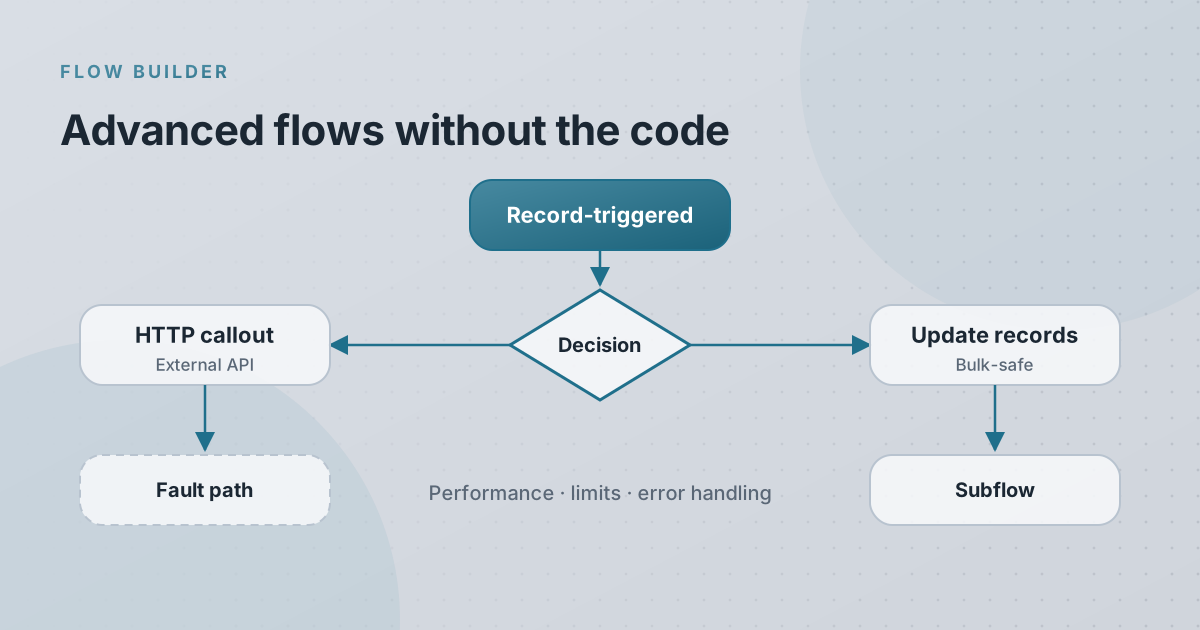
- Subflow Architecture: Building modular, reusable "subflows" for standard processes (like standardized error handling) that can be triggered by multiple separate parent flows safely.
Integrating HTTP Callouts via Flow
One of the most revolutionary 2026 features allows administrators to configure API callouts directly within Flow Builder natively. You can now execute a specific workflow setup that pulls real-time inventory from external SAP databases and displays it on the opportunity screen, strictly using declarative tools.
Protecting System Performance
Inexperienced flow design leads directly to system latency. Properly bulkifying active flows, avoiding queries within loops, and documenting logic strictly adhere to enterprise optimization standards.
Elevate Your Automation Capabilities
Is your organization leveraging the full power of Flow Builder? Let our certified technical team review and upgrade your legacy automation setup.
Contact Alu Cloud Consulting to significantly modernize your back-office automations today.
Ready to talk about your Salesforce project?
Every engagement starts with a free discovery call. No pressure, just an honest conversation about where you are and what you are trying to build.
Frequently Asked Questions
What are Screen Flows?
Screen Flows allow you to create multi-step wizard interfaces that guide users through complex data entry, drastically reducing errors during processes like onboarding.
Can Flow Builder make callouts to an external API?
Yes! Using HTTP Callout natively within Flow Builder, administrators can now connect Salesforce to external web services without writing a single line of Apex code.
Should we migrate all Workflow Rules to Flow?
Yes. Salesforce has actively stopped supporting the creation of new Workflow Rules. Migrating them to modern Record-Triggered flows is critical for long-term platform health.
Does Flow Builder require coding knowledge?
It requires strong logical reasoning and an understanding of database concepts (variables, loops, assignments), but it does not require explicit programming syntax knowledge.
What is a Record-Triggered Flow?
It is an automation that instantly fires behind the scenes the moment a record is created, updated, or deleted—ideal for immediate field updates or related record creations.