
Expert Salesforce Workflow Setup to Automate Sales
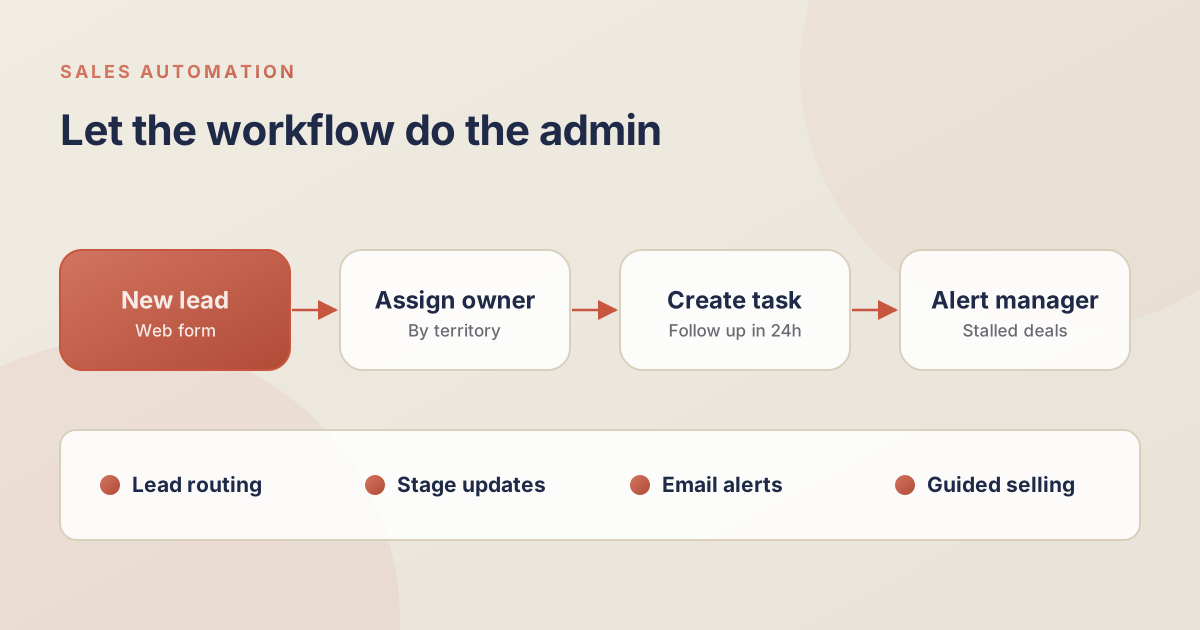
The Game-Changing Impact of Intelligent Workflow Setup
Is your sales team spending more time updating records than actually selling? Manual data entry is the silent killer of productivity. Mastering your workflow setup allows you to automate the tedious tasks, reduce human error, and accelerate the entire sales cycle. Let's explore how a modernized automation strategy transforms the way your sales organization operates.
Why Manual Processes Hurt Your Bottom Line
Research indicates that the average sales representative spends roughly 28% of their week actually selling. The rest is consumed by administrative work, internal meetings, and updating CRMs.
Without proper automation, deals fall through the cracks because reps forget to follow up, leads are assigned too slowly, and pipeline data remains consistently inaccurate. Implementing intelligent salesforce implementations that prioritize automation solves these challenges instantly.
Core Automations Every Sales Team Needs
Effective automation isn't about setting up complex code; it's about mapping logical business rules to system actions. Here are the most impactful automations you should implement immediately:
- Lead Routing: Instantly process incoming website inquiries by assigning them to the right reps based on geographic territory, company size, or industry.
- Opportunity Stage Progression: Automatically update related fields, create follow-up tasks, and trigger manager notifications when a deal moves to a critical stage like 'Negotiation'.
- Stalled Deal Alerts: Configure time-based triggers that notify the rep and their manager if a high-value opportunity hasn't seen any activity in 14 days.
Advanced Org Customization with Flow Builder
For more complex scenarios, Salesforce's Flow Builder is the definitive tool for powerful process automation. Org customization using Flow allows us to create guided, interactive screens that lead users through complex data entry tasks.
- Create unified onboarding wizards for complex new client setups.
- Orchestrate multi-step approval processes for non-standard discounting.
- Automatically create renewal opportunities with the correct pricing 90 days before a contract expires.
Using Flows instead of custom Apex code reduces long-term technical debt and makes your system significantly easier to maintain.
Integrating Automation with Third-Party Tools
A true enterprise automation strategy extends beyond the boundaries of Salesforce. By connecting your CRM with external applications, you create a seamless operational environment.
Consider linking your marketing automation platform to automatically sync campaign responses, or connecting your document generation tool to instantly send NDAs when a lead is qualified. This level of synchronization drastically reduces response times.
Automate Your Growth Trajectory Today
Building a scalable sales engine requires removing the friction from your daily operations. A customized workflow setup gives your team the freedom to focus entirely on building relationships and closing revenue.
If you are ready to leverage the full power of automation, contact the Alu Cloud Consulting team for a comprehensive review of your current processes.
Ready to talk about your Salesforce project?
Every engagement starts with a free discovery call. No pressure, just an honest conversation about where you are and what you are trying to build.
Frequently Asked Questions
Is Flow Builder replacing Process Builder and Workflow Rules?
Yes. Salesforce has retired older automation tools in favor of Flow Builder, which is significantly more powerful, efficient, and easier to maintain long-term.
How do we decide what to automate first?
We recommend identifying the most repetitive, time-consuming tasks your reps perform daily and automating those first to secure an immediate "quick win" in user adoption.
Can automation accidentally overwrite important data?
If poorly configured, yes. That is why it is critical to implement robust testing in a Sandbox environment before deploying any new workflow setup to your live production Org.
Do we need a developer to create automations?
Most core automations can be built using declarative (clicks-not-code) Flow tools by a certified administrator or consultant, though highly complex integrations might require apex.
How much time does automation actually save?
On average, replacing manual data entry with Sales Cloud automations recovers 10-15 hours per week per sales rep, enabling them to focus strictly on revenue-generating activities.